开启左侧

给龙虾openclaw安装skills

[复制链接]
米落枫 发表于 前天 16:33 | 显示全部楼层 |阅读模式 打印 上一主题 下一主题
作者:fengtangjiang
给龙虾openclaw安装skills

你想安装新的 skills 吗?可以通过以下几种方式:

  • 从 ClawHub 安装(推荐)
    ClawHub 是官方的技能库,你可以直接搜索并安装:
  1. openclaw skill install <skill-name>
复制代码
例如:openclaw skill install weather
2. 手动克隆安装
如果你有技能的 Git 仓库地址:
  1. openclaw skill add <git-url>
复制代码

  • 本地开发安装
    如果你正在编写自己的 skill,可以在技能目录中运行:
  1. openclaw skill link
复制代码
比如:openclaw skill  C:\Users\dongshengchang\Downloads\sql-toolkit-1.0.0\SKILL.md
查看已安装的技能命令
  1. openclaw skills list
复制代码
给龙虾openclaw安装skills-1.png

介绍几个skills仓库
https://clawhub.ai/
给龙虾openclaw安装skills-2.png

  1. https://skillsmp.com/
复制代码
给龙虾openclaw安装skills-3.png

安装教程如下
1、首先启动龙虾
  1. openclaw gateway --verbose
复制代码
2、查看龙虾状态
  1. openclaw status --all
复制代码
3、打个基线
每次安装之前最好将现在有的哪些技能打个基线,避免忘记装了哪些,什么时候装的
先把当前 PowerShell 切到 UTF-8
  1. chcp 65001 | Out-Null
  2. [Console]::InputEncoding  = [System.Text.UTF8Encoding]::new($false)
  3. [Console]::OutputEncoding = [System.Text.UTF8Encoding]::new($false)
  4. $OutputEncoding           = [System.Text.UTF8Encoding]::new($false)
复制代码
导出“安装前快照”(用 Unicode)
  1. $ts = Get-Date -Format "yyyyMMdd-HHmmss"
  2. $dir = "$env:USERPROFILE\.openclaw\_audit\$ts"
  3. New-Item -ItemType Directory -Force -Path $dir | Out-Null
  4. openclaw --version      | Out-File "$dir\01-version.txt"       -Encoding unicode
  5. openclaw skills list    | Out-File "$dir\02-skills-before.txt" -Encoding unicode
  6. openclaw plugins list   | Out-File "$dir\03-plugins-before.txt" -Encoding unicode
  7. openclaw status --all   | Out-File "$dir\04-status-before.txt" -Encoding unicode
  8. "done: $dir"
复制代码
基线存在.openclaw_audit目录下
或者简单只打个skills基线
  1. openclaw skills list > "$env:USERPROFILE\.openclaw\skills-before.txt"
复制代码
给龙虾openclaw安装skills-4.png


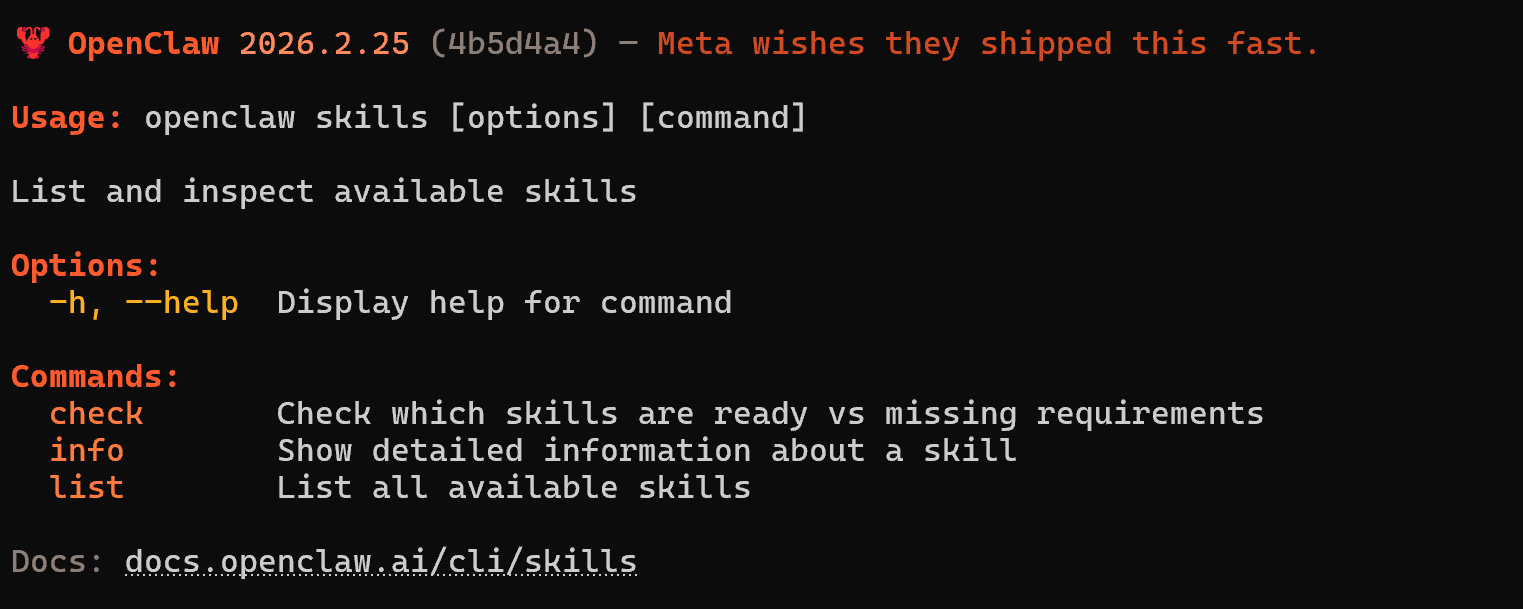
4、本地安装
  1. openclaw skills --help
复制代码
给龙虾openclaw安装skills-5.png

方法一,命令行
  1. # 1) 准备目录
  2. $skillRoot = "$env:USERPROFILE\.openclaw\workspace\skills"
  3. $repoDir   = "$env:USERPROFILE\.openclaw\workspace\_tmp\everything-claude-code"
  4. $skillName = "database-migrations"
  5. New-Item -ItemType Directory -Force -Path $skillRoot | Out-Null
  6. New-Item -ItemType Directory -Force -Path (Split-Path $repoDir) | Out-Null
  7. # 2) 拉取仓库(浅克隆)
  8. if (Test-Path $repoDir) { Remove-Item $repoDir -Recurse -Force }
  9. git clone --depth 1 https://github.com/affaan-m/everything-claude-code.git $repoDir
  10. # 3) 复制目标 skill 到 OpenClaw workspace
  11. $src = Join-Path $repoDir "skills\$skillName"
  12. $dst = Join-Path $skillRoot $skillName
  13. if (!(Test-Path $src)) { throw "未找到源目录: $src" }
  14. if (Test-Path $dst) { Remove-Item $dst -Recurse -Force }
  15. Copy-Item $src $dst -Recurse -Force
  16. # 4) 清理临时目录(可选)
  17. Remove-Item $repoDir -Recurse -Force
  18. "已安装到: $dst"
复制代码
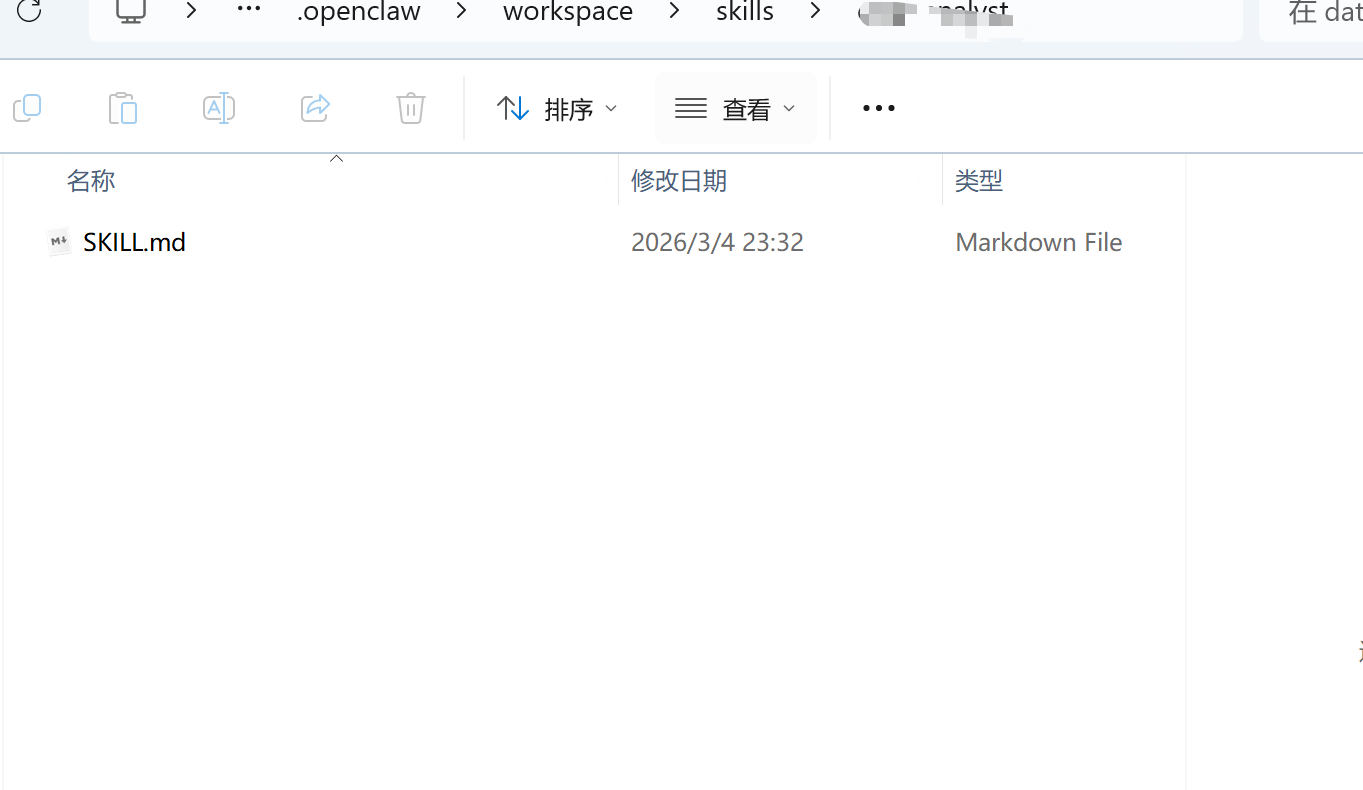
方法二、如果不支持命令添加skills,所以新建一个工作空间
  1. mkdir "$env:USERPROFILE\.openclaw\workspace\skills" -Force
复制代码
把 skill 文件/目录放到 OpenClaw 的技能搜索路径(你之前日志里出现过 ~.openclaw\workspace)。
使用某个“技能包仓库”手动拷贝到该目录。

给龙虾openclaw安装skills-6.png


新建一个文件夹名字就是这个技能名字
放入.md文件
备注:
默认目录:~/.openclaw/workspace/
默认有的几个
AGENTS.md:行为规范
SOUL.md:人格与表达风格
USER.md:用户背景与偏好
TOOLS.md:本地工具笔记
MEMORY.md:长期记忆(仅主会话加载)

原文地址:https://blog.csdn.net/fengtangjiang/article/details/158663467
回复

使用道具 举报

您需要登录后才可以回帖 登录 | 立即注册

本版积分规则

发布主题
阅读排行更多+

Powered by Discuz! X3.4© 2001-2013 Discuz Team.( 京ICP备17022993号-3 )